Lesson 10
Limits and Best Practices
18 min
Hallucinations, bias, privacy: verify answers and use AI responsibly.
Definition
A hallucination is a false, invented, or distorted answer that ChatGPT presents confidently, as if it were true. Best practices are the habits you should adopt to identify these errors, protect your data, and use the tool honestly and responsibly.
A Powerful but Imperfect Tool
You now know how to use ChatGPT for many different tasks. This final lesson may be the most important: it teaches you to understand its limitations so you do not get misled.
An imperfect tool is not a useless tool. A very sharp knife remains essential in the kitchen, provided you know how to use it. The same applies here: by understanding how ChatGPT works and where it can fail, you can benefit from its advantages while limiting the risks.
Hallucinations
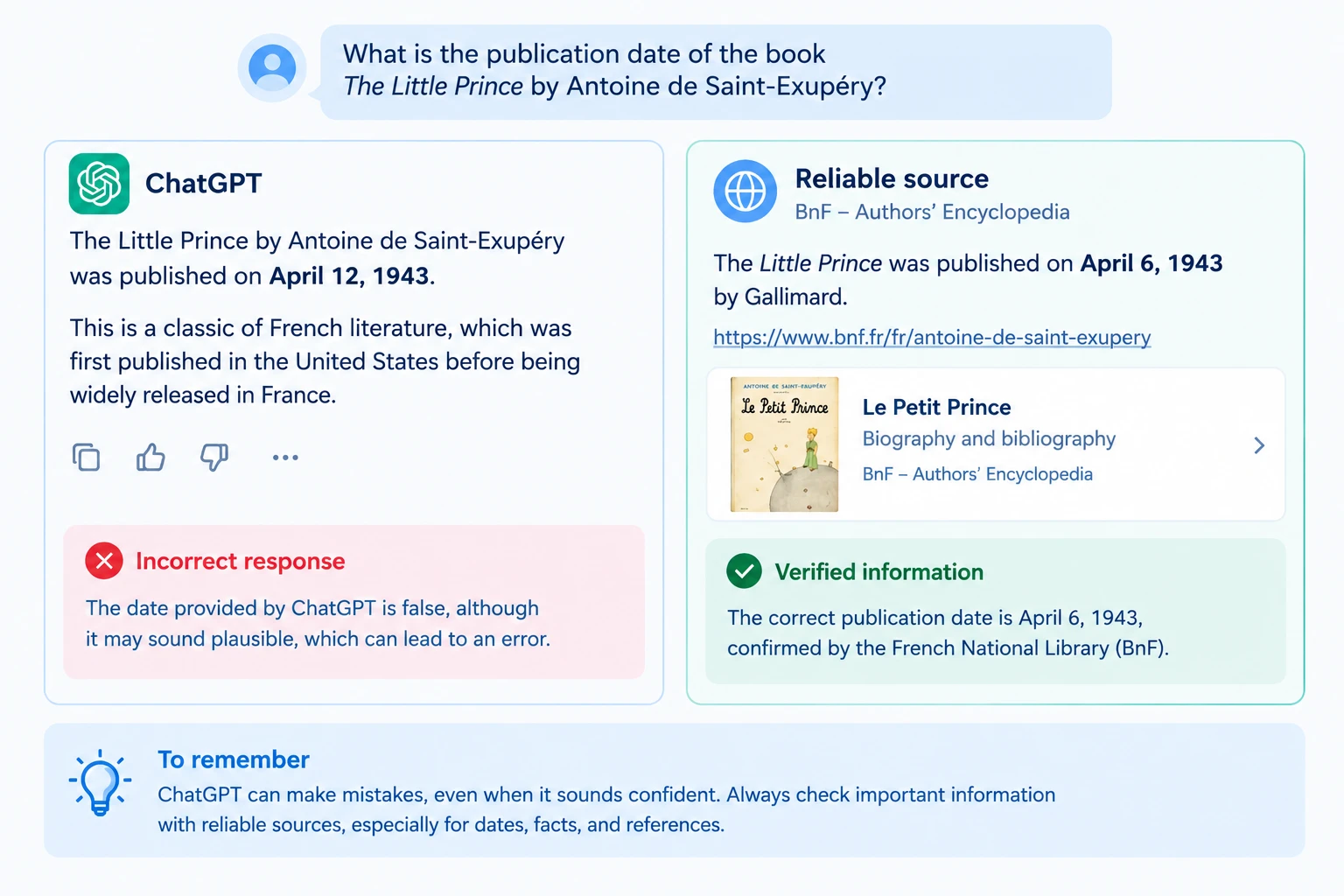
ChatGPT can produce information that is false but plausible : an incorrect date, an invented quotation, or a book or source that does not exist. This is called a "hallucination." Its tone is often very confident, making the error difficult to detect if you do not verify it.
This can be explained by how it works: it constructs sentences by choosing the most probable words, without checking every fact against a database. When information is missing, it may therefore "fill in the gaps" with something that sounds correct but is actually false.
Imagine, for example, that you askName three books by a little-known author. ChatGPT might respond with very believable titles that were never actually published. Nothing in its tone warns you about the problem: only checking a library catalog or a reliable website will allow you to discover it.
Situations Where the Risk of Errors Increases
- Highly specific questions : exact dates, numbers, proper names, or references to laws.
- Little-known topics : a person, company, or local place for which little information exists online.
- Requests for sources : it may invent an article title or a website address that does not exist.
- Poorly phrased questions : an ambiguous request encourages the model to guess what you meant.
Other Limitations to Keep in Mind
- Knowledge with a cutoff date : without web search, it may not know about recent events.
- Biases : it has learned from texts written by humans and may reproduce their prejudices.
- Unreliable calculations and details : verify numbers, especially when they are important.
- No guarantees on sensitive topics : for health, legal, or financial matters, it does not replace a professional.
How to Verify an Answer
- Ask it to provide its sources or explain its reasoning, then verify the sources yourself.
- Cross-check the information with an official website, a textbook, or a specialist.
- Rephrase the question : if the answers contradict each other, that is a warning sign.
In your previous answer, indicate what you are sure about
and what you are unsure about. For each important claim,
tell me how I can verify it.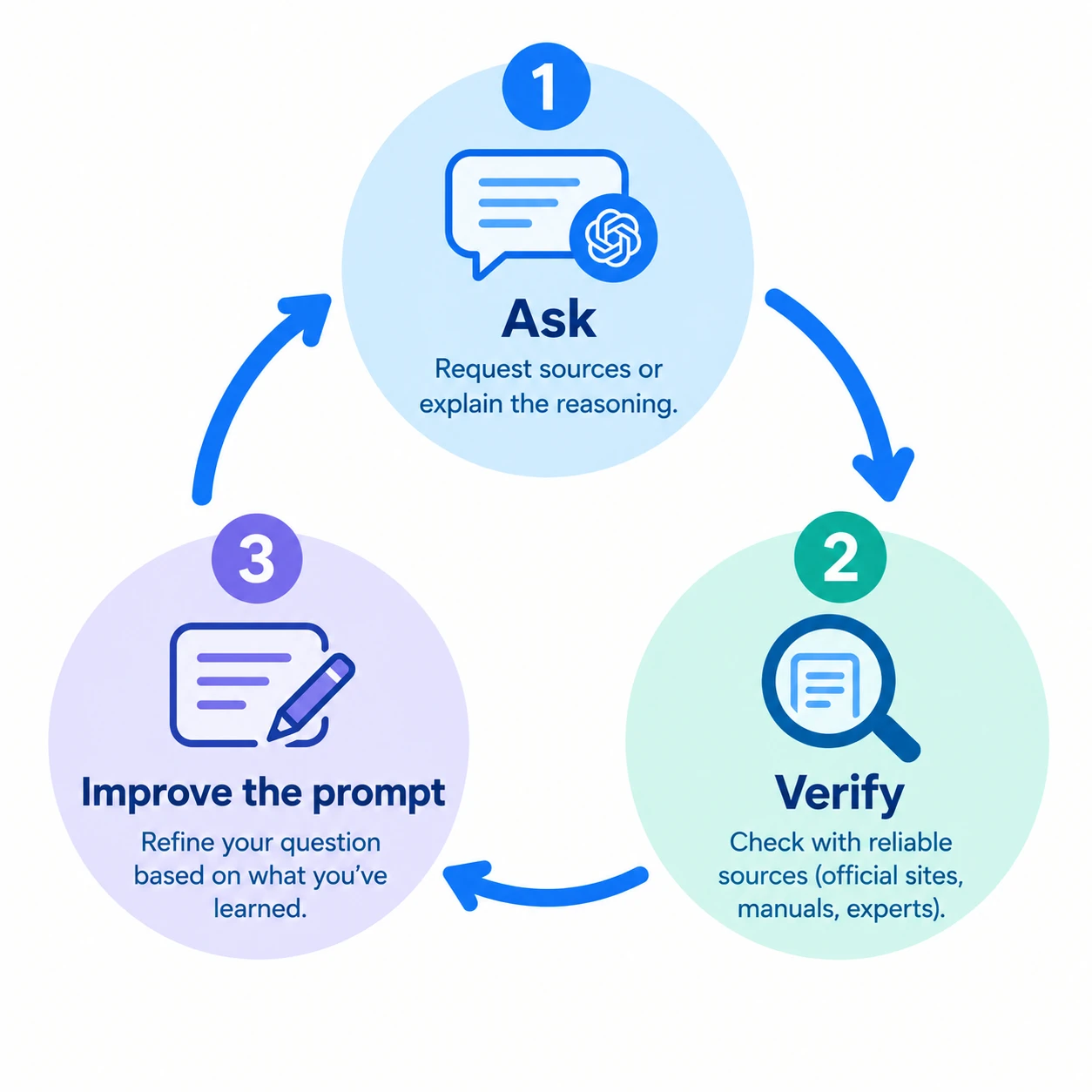
Identifying Bias in an Answer
Bias is a tendency to present things in a partial or one-sided way. To identify it, ask for several perspectives rather than a single answer:
Present two opposing perspectives on this topic,
with the strongest arguments on each side, without taking sides.
If the answer seems one-sided, writeWhat opposing arguments exist?to obtain a more balanced perspective.
Asking ChatGPT to Be More Cautious
You can reduce risks by giving clear instructions from the beginning. For example, allow it to say that it does not know rather than forcing it to provide an answer at all costs:
If you are not certain about some information, say so clearly
rather than inventing an answer. Distinguish established facts
from hypotheses.
This instruction does not make ChatGPT infallible, but it encourages it to express uncertainty. You can also allowI don't knowas an acceptable answer, or askHow confident are you?for each important claim.
Health, Law, and Money: Be Extra Careful
In these three areas, a mistake can have real consequences. ChatGPT can help you understand terminology or prepare your questions, but it cannot examine your personal situation.
- Health : use it to understand a term, never to make a diagnosis or choose a treatment.
- Law : laws change and vary between countries, so verify information with an official source or a professional.
- Money : do not make investment or borrowing decisions based solely on a generated answer.
Protecting Your Privacy
Never share passwords, bank card numbers, identity documents, or confidential data. Also think about others: do not paste private information about third parties without their permission.
If you need to work on a text containing personal data, replace it before sending it: write[Name]instead of a real name, or[Address]instead of an address. You can add the real information yourself once the work is finished.
Honest and Responsible Use
At school and at work, rules regarding AI use vary. Before submitting an assignment or document, find out what is allowed and clearly acknowledge when you have received assistance if required. The goal is to learn and produce something that is genuinely yours, not to submit a text you do not understand.
Good Habits to Adopt
- Before sending : reread the response and verify important information.
- Before sharing : remove personal and confidential data.
- Before submitting work : check your school or company's rules.
- After using ChatGPT : make sure you can explain what you produced yourself.
Golden Rule
ChatGPT makes suggestions, but you make the decisions. You remain responsible for everything you send, publish, or submit with its help.
Key Takeaways
ChatGPT is a valuable assistant , but it can make mistakes with great confidence. Verify important information, protect your data and that of others, and use the tool honestly . This combination of curiosity and critical thinking is what makes a good user.
Exercise
Go Further